 spooldesk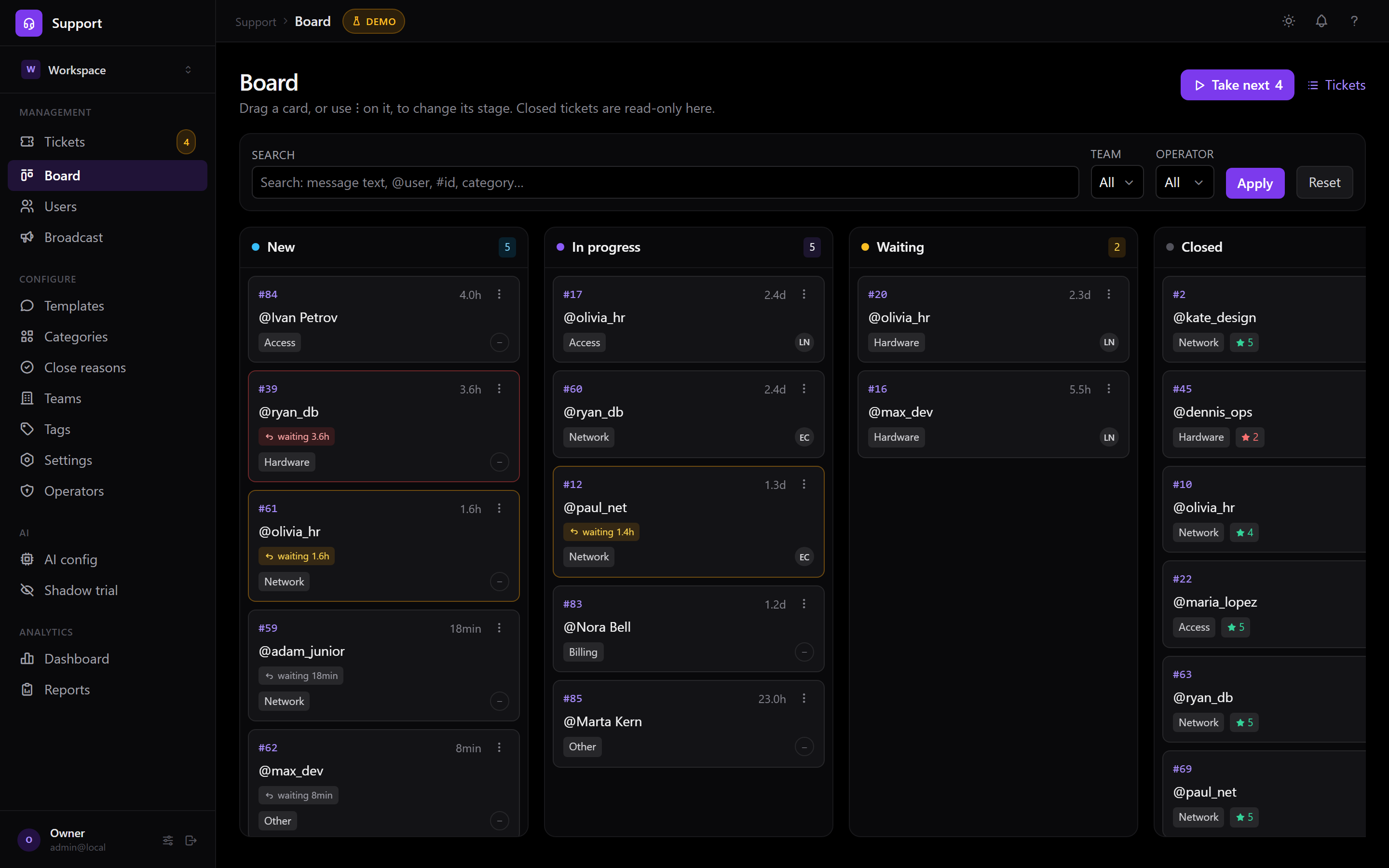
Bring it together.
Start with the channels your team uses. Email, website chat, Slack and Telegram feed the same queue.
Connect what you need
An independent, self-hosted helpdesk
Give every conversation a place, an owner and a next step. Bring your channels together. Keep the system in your hands.
Your infrastructure. Source available. Help when you need it.
Can you help us restore access?
An illustrated workflow. Choose a channel to follow the thread.
Can you help us restore access?Where can I find our last invoice?The new teammate needs an account.A quick question about our setup.Start with an empty workspace. Add sample tickets, switch between the list and board, and try a reply. Everything stays in this page; nothing is sent.
The work, from start to finish
Start with the channels your team uses. Email, website chat, Slack and Telegram feed the same queue.
Assign a teammate, set a status and follow response deadlines that account for working hours.
Use reply templates and a searchable help centre so the next person can find an answer sooner.
Self-hosted by design
Spooldesk runs on infrastructure you choose. You keep the database, the files and the decision about when to update. We can help you get it running.
Read the licenseRun a separate installation for your organization. Connected mail, messaging and AI providers still process the data you send to them.
The source is available under BSL 1.1. Run it for your own business within the license terms. Offering it as a hosted or managed service to others needs separate rights.
Set it up yourself, book an installation or add ongoing maintenance. Your server stays yours either way.
A little less back and forth
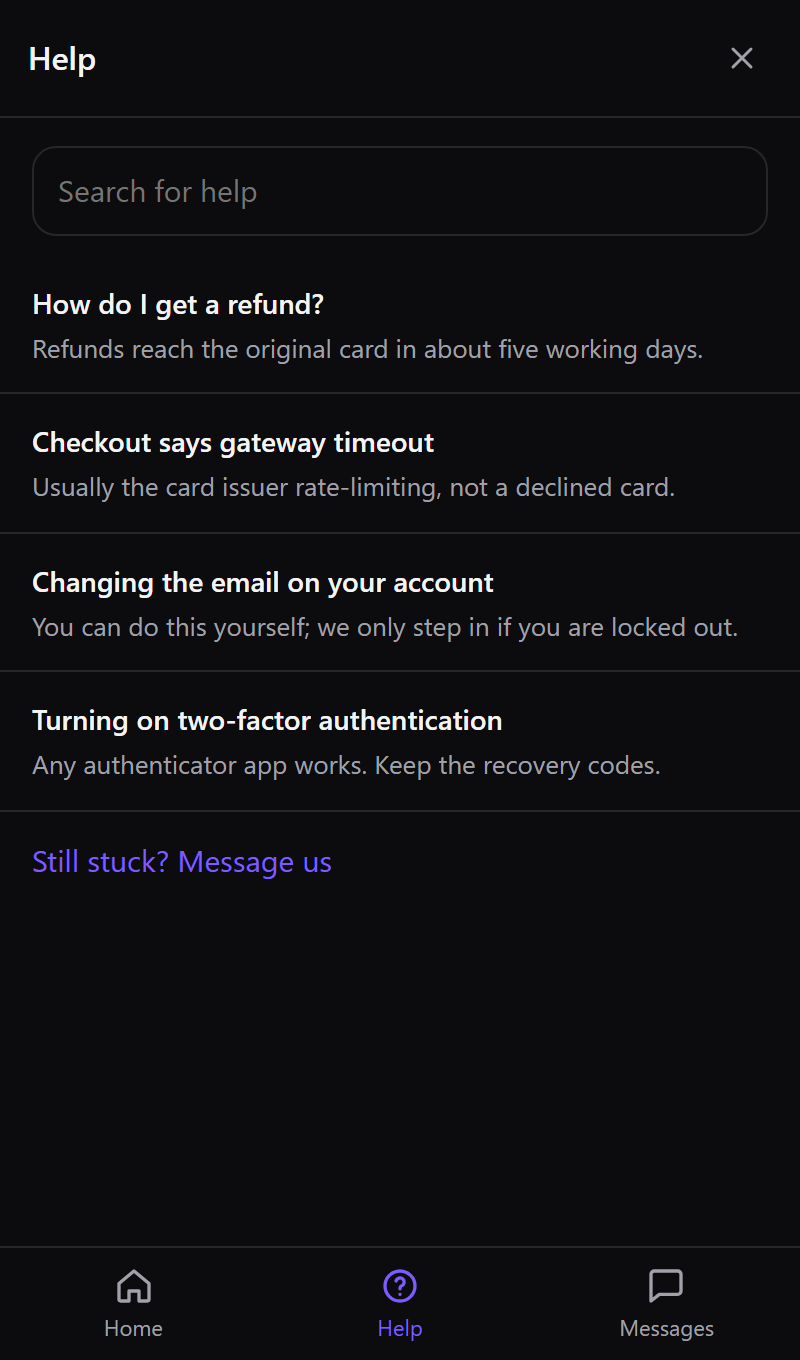
Put useful articles inside the website widget. Visitors can search before writing, then start a conversation when they need a person.
An optional assistant for ticket search, conversation summaries and reply drafts. Keep private chat history and attach text or DOCX files. Status and assignee changes require your confirmation. Use your own provider key, including OpenRouter, or a supported local model; provider costs are separate.
Choose how you get started
Host it yourself. Pay for setup or maintenance when you want us involved.
DO IT YOURSELF
For teams that want to run their own instance.
You provide the infrastructure, configuration and ongoing operation.
EARLY INSTALLATIONS
Indicative setup package on your infrastructure.
Scope, readiness and start date agreed first. Imports and custom integrations quoted separately.
OPTIONAL, AFTER SETUP
Indicative maintenance package for one instance.
Extra work requires agreement. This is not 24/7 monitoring or a guaranteed recovery time.
LET’S TALK
Questions before choosing, or a setup that needs a closer look?
A conversation, not a commitment. Custom work starts only after a written agreement.
Indicative prices in USD. Paid services are being prepared; enquiries are welcome, payments are not accepted here. Scope, seller details, taxes, timing and payment terms must be agreed in writing before paid work. Infrastructure, email and AI costs are separate.
Good questions
It is source-available under Business Source License 1.1, rather than an OSI open-source license. The current grant permits production use within its terms. Hosted or managed offerings to third parties need separate rights. The LICENSE file defines the change date and terms. Read the license ↗
No. Run Spooldesk on a suitable computer, server or cloud account you control. Even a paid setup happens on your infrastructure. Its availability depends on that machine, its internet connection and how it is maintained.
Yes. Choose the channels you need. Email and the website widget can work without Telegram. AI is optional, and external providers are billed separately.
Yes. Install a clean instance with Docker and PostgreSQL on your own computer. No VPS or Spooldesk account is required for that test. The installation only stays available while that computer is running; internet-facing channels also need the appropriate public endpoints.
Your self-hosted installation remains on your infrastructure under its license. The maintenance service ends under the agreed terms; you take over updates, backup checks and incident handling.
LET’S TALK
Whether you are comparing options or planning an installation, start with a few details. We will clarify what fits the current product and what needs a separate scope.
Useful details: team size, channels, target computer or server, and what you want to achieve. No credentials or customer conversations are needed.
Your mail app opens; this page does not submit a form. How contact data is handled
Make room for better support
Explore the installation guide, or tell us about your team and the channels you want to connect.